Excel shortcuts: Close workbook and close Excel application

Excel shortcuts: Close workbook and close Excel application

If you want to close your currrent workbook in Excel, you can go to File > Close, or simply use this shortcut:

Ctrl + W
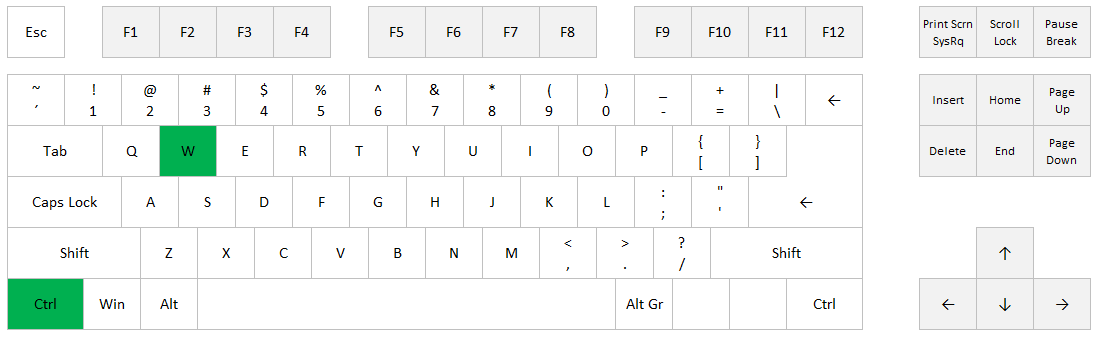
Close Workbook: Ctrl+W

If you want to close the whole application, you can click on the X in the top right corner, or simply use this shortcut: ALT + F4
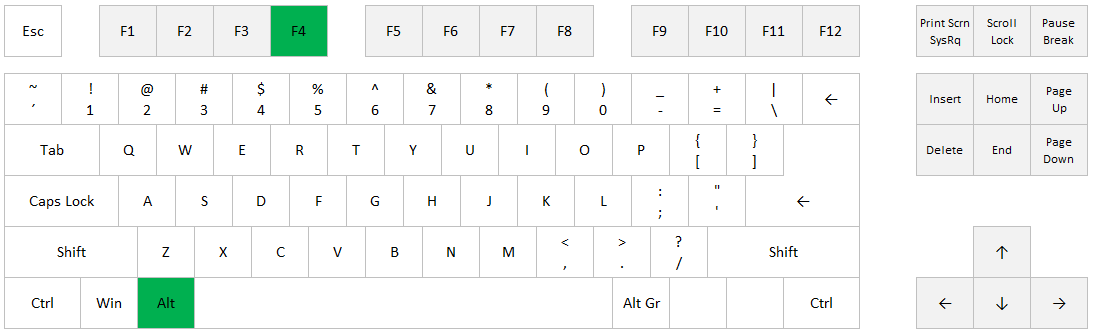
Close application: Alt+F4

Posted on
Deprecated: Creation of dynamic property WP_Term::$cat_ID is deprecated in /www/webvol37/u7/1kcaq2fpenszeq2/excelshortcuts.info/public_html/wp-includes/category.php on line 378

Deprecated: Creation of dynamic property WP_Term::$category_count is deprecated in /www/webvol37/u7/1kcaq2fpenszeq2/excelshortcuts.info/public_html/wp-includes/category.php on line 379

Deprecated: Creation of dynamic property WP_Term::$category_description is deprecated in /www/webvol37/u7/1kcaq2fpenszeq2/excelshortcuts.info/public_html/wp-includes/category.php on line 380

Deprecated: Creation of dynamic property WP_Term::$cat_name is deprecated in /www/webvol37/u7/1kcaq2fpenszeq2/excelshortcuts.info/public_html/wp-includes/category.php on line 381

Deprecated: Creation of dynamic property WP_Term::$category_nicename is deprecated in /www/webvol37/u7/1kcaq2fpenszeq2/excelshortcuts.info/public_html/wp-includes/category.php on line 382

Deprecated: Creation of dynamic property WP_Term::$category_parent is deprecated in /www/webvol37/u7/1kcaq2fpenszeq2/excelshortcuts.info/public_html/wp-includes/category.php on line 383
Categories Uncategorized