Excel shortcut: Save as

If you want to save a new copy of your active Excel file, you can go to File > Save as, or you can use this shortcut:


F12
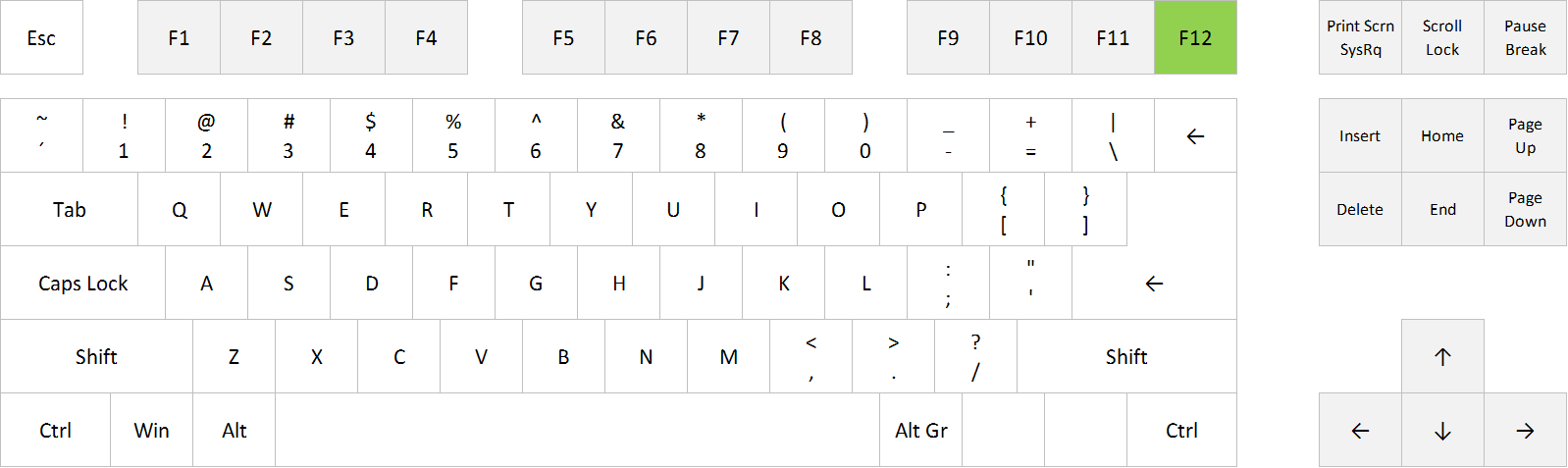
"Save as" in Excel: F12
“Save as” in Excel: F12

Posted on
Deprecated: Creation of dynamic property WP_Term::$cat_ID is deprecated in /www/webvol37/u7/1kcaq2fpenszeq2/excelshortcuts.info/public_html/wp-includes/category.php on line 378

Deprecated: Creation of dynamic property WP_Term::$category_count is deprecated in /www/webvol37/u7/1kcaq2fpenszeq2/excelshortcuts.info/public_html/wp-includes/category.php on line 379

Deprecated: Creation of dynamic property WP_Term::$category_description is deprecated in /www/webvol37/u7/1kcaq2fpenszeq2/excelshortcuts.info/public_html/wp-includes/category.php on line 380

Deprecated: Creation of dynamic property WP_Term::$cat_name is deprecated in /www/webvol37/u7/1kcaq2fpenszeq2/excelshortcuts.info/public_html/wp-includes/category.php on line 381

Deprecated: Creation of dynamic property WP_Term::$category_nicename is deprecated in /www/webvol37/u7/1kcaq2fpenszeq2/excelshortcuts.info/public_html/wp-includes/category.php on line 382

Deprecated: Creation of dynamic property WP_Term::$category_parent is deprecated in /www/webvol37/u7/1kcaq2fpenszeq2/excelshortcuts.info/public_html/wp-includes/category.php on line 383
Categories Uncategorized

Excel shortcut: Save document

If you want to save your work in Excel, you can go to File > Save, or you can use this shortcut:
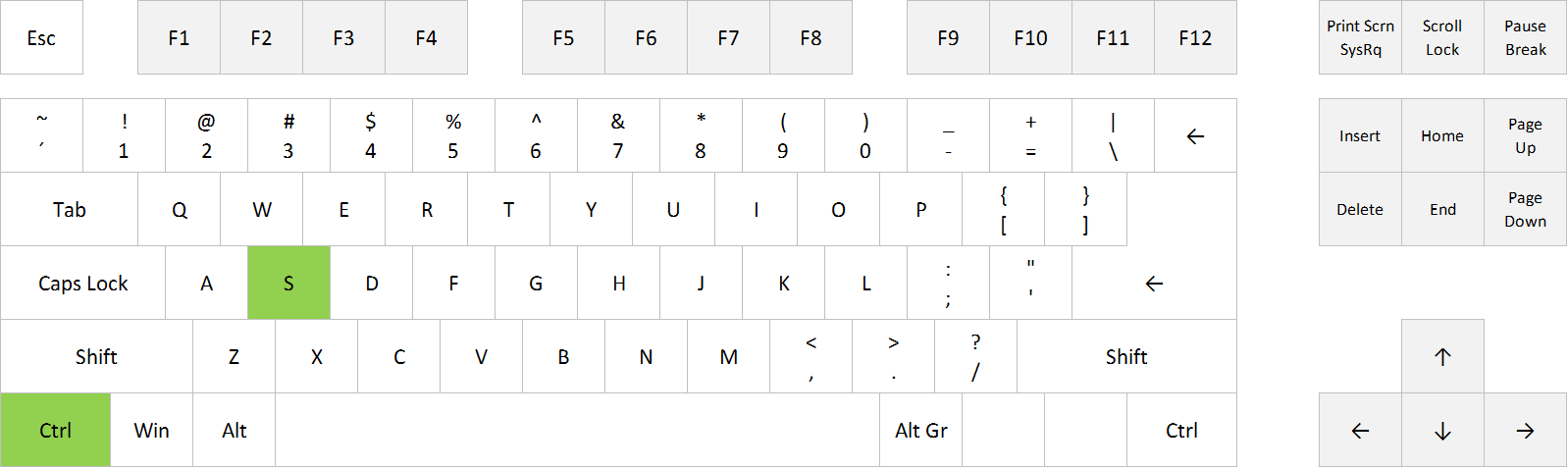
Ctrl+S

Save document in Excel: Ctrl+S


FULL POST

Posted on
Deprecated: Creation of dynamic property WP_Term::$cat_ID is deprecated in /www/webvol37/u7/1kcaq2fpenszeq2/excelshortcuts.info/public_html/wp-includes/category.php on line 378

Deprecated: Creation of dynamic property WP_Term::$category_count is deprecated in /www/webvol37/u7/1kcaq2fpenszeq2/excelshortcuts.info/public_html/wp-includes/category.php on line 379

Deprecated: Creation of dynamic property WP_Term::$category_description is deprecated in /www/webvol37/u7/1kcaq2fpenszeq2/excelshortcuts.info/public_html/wp-includes/category.php on line 380

Deprecated: Creation of dynamic property WP_Term::$cat_name is deprecated in /www/webvol37/u7/1kcaq2fpenszeq2/excelshortcuts.info/public_html/wp-includes/category.php on line 381

Deprecated: Creation of dynamic property WP_Term::$category_nicename is deprecated in /www/webvol37/u7/1kcaq2fpenszeq2/excelshortcuts.info/public_html/wp-includes/category.php on line 382

Deprecated: Creation of dynamic property WP_Term::$category_parent is deprecated in /www/webvol37/u7/1kcaq2fpenszeq2/excelshortcuts.info/public_html/wp-includes/category.php on line 383
Categories Uncategorized

Excel shortcut: Switch between tabs

If you want to switch to another worksheet tab in Excel, you can use your mouse and click on the tab you want to open, or you can use these shortcuts:
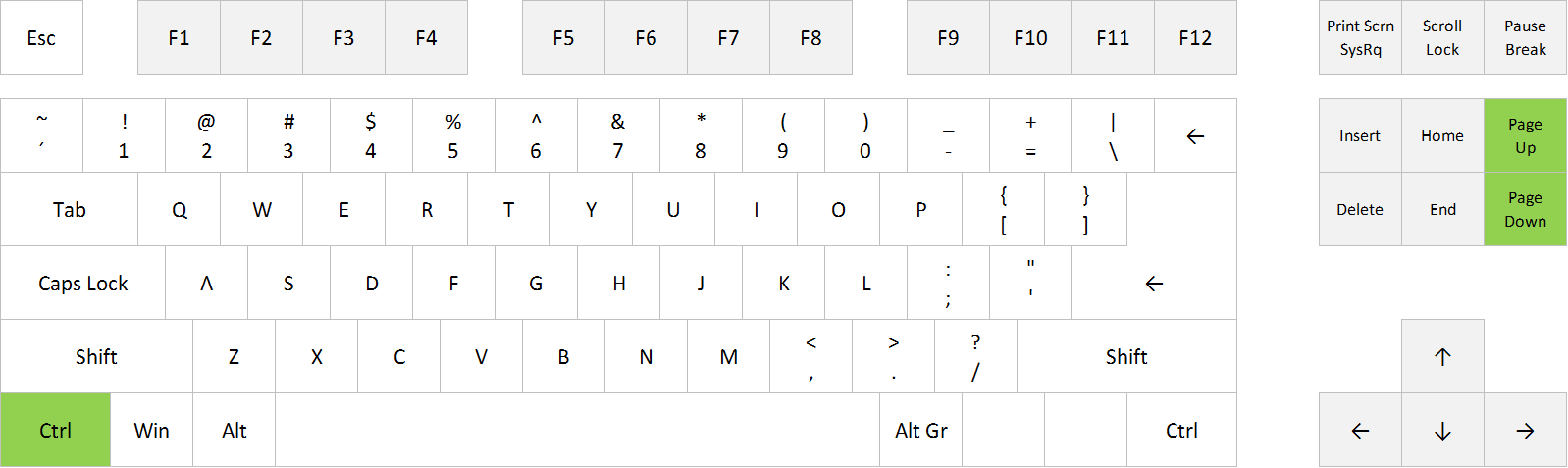
Ctrl+PageUp
Ctrl+PageDown

Swith between tabs in Excel: Ctrl+PageUp and Ctrl+PageDown


FULL POST

Posted on
Deprecated: Creation of dynamic property WP_Term::$cat_ID is deprecated in /www/webvol37/u7/1kcaq2fpenszeq2/excelshortcuts.info/public_html/wp-includes/category.php on line 378

Deprecated: Creation of dynamic property WP_Term::$category_count is deprecated in /www/webvol37/u7/1kcaq2fpenszeq2/excelshortcuts.info/public_html/wp-includes/category.php on line 379

Deprecated: Creation of dynamic property WP_Term::$category_description is deprecated in /www/webvol37/u7/1kcaq2fpenszeq2/excelshortcuts.info/public_html/wp-includes/category.php on line 380

Deprecated: Creation of dynamic property WP_Term::$cat_name is deprecated in /www/webvol37/u7/1kcaq2fpenszeq2/excelshortcuts.info/public_html/wp-includes/category.php on line 381

Deprecated: Creation of dynamic property WP_Term::$category_nicename is deprecated in /www/webvol37/u7/1kcaq2fpenszeq2/excelshortcuts.info/public_html/wp-includes/category.php on line 382

Deprecated: Creation of dynamic property WP_Term::$category_parent is deprecated in /www/webvol37/u7/1kcaq2fpenszeq2/excelshortcuts.info/public_html/wp-includes/category.php on line 383
Categories Navigation

Excel shortcut: Hide Row

If you want to hide a row in Excel, you can select the row by clicking on the row header (the number 1, 2, 3 etc. to the left), right-click and choose Hide.

Or you can select any cell in the row you want to hide and use this shortcut:
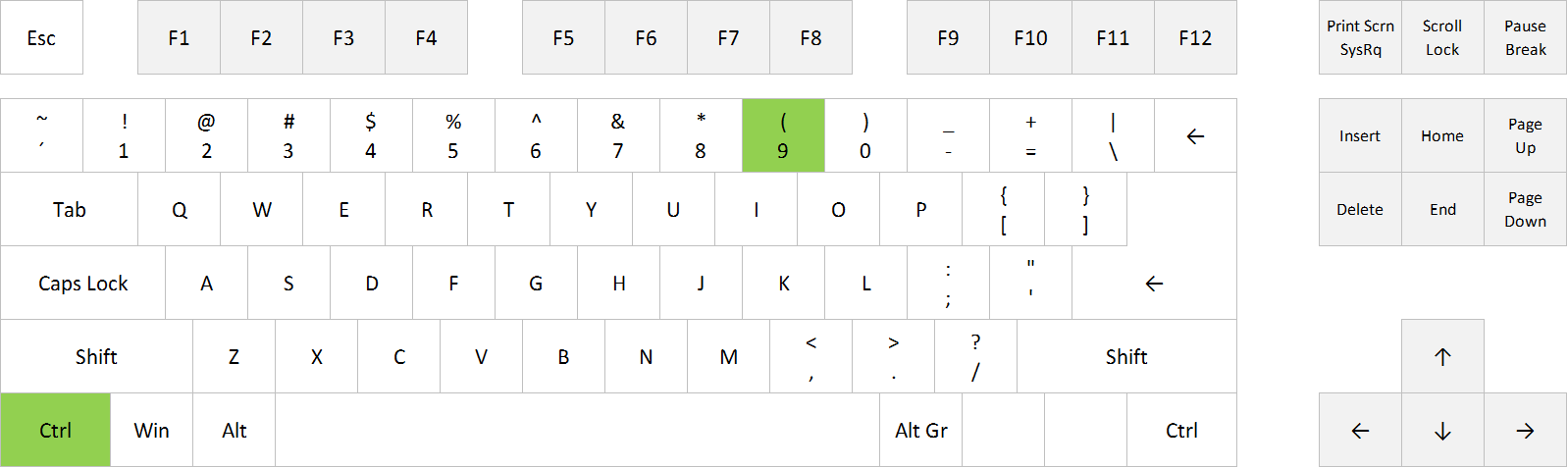
Ctrl+9

Hide Row in Excel: Ctrl+9


FULL POST

Posted on
Deprecated: Creation of dynamic property WP_Term::$cat_ID is deprecated in /www/webvol37/u7/1kcaq2fpenszeq2/excelshortcuts.info/public_html/wp-includes/category.php on line 378

Deprecated: Creation of dynamic property WP_Term::$category_count is deprecated in /www/webvol37/u7/1kcaq2fpenszeq2/excelshortcuts.info/public_html/wp-includes/category.php on line 379

Deprecated: Creation of dynamic property WP_Term::$category_description is deprecated in /www/webvol37/u7/1kcaq2fpenszeq2/excelshortcuts.info/public_html/wp-includes/category.php on line 380

Deprecated: Creation of dynamic property WP_Term::$cat_name is deprecated in /www/webvol37/u7/1kcaq2fpenszeq2/excelshortcuts.info/public_html/wp-includes/category.php on line 381

Deprecated: Creation of dynamic property WP_Term::$category_nicename is deprecated in /www/webvol37/u7/1kcaq2fpenszeq2/excelshortcuts.info/public_html/wp-includes/category.php on line 382

Deprecated: Creation of dynamic property WP_Term::$category_parent is deprecated in /www/webvol37/u7/1kcaq2fpenszeq2/excelshortcuts.info/public_html/wp-includes/category.php on line 383
Categories Uncategorized

Excel shortcut: Hide Column

If you want to hide a column in Excel, you can select the column by clicking on the column header (the letter A, B, C etc.), right-click and choose Hide.

Or you can select any cell in the column you want to hide and use this shortcut:
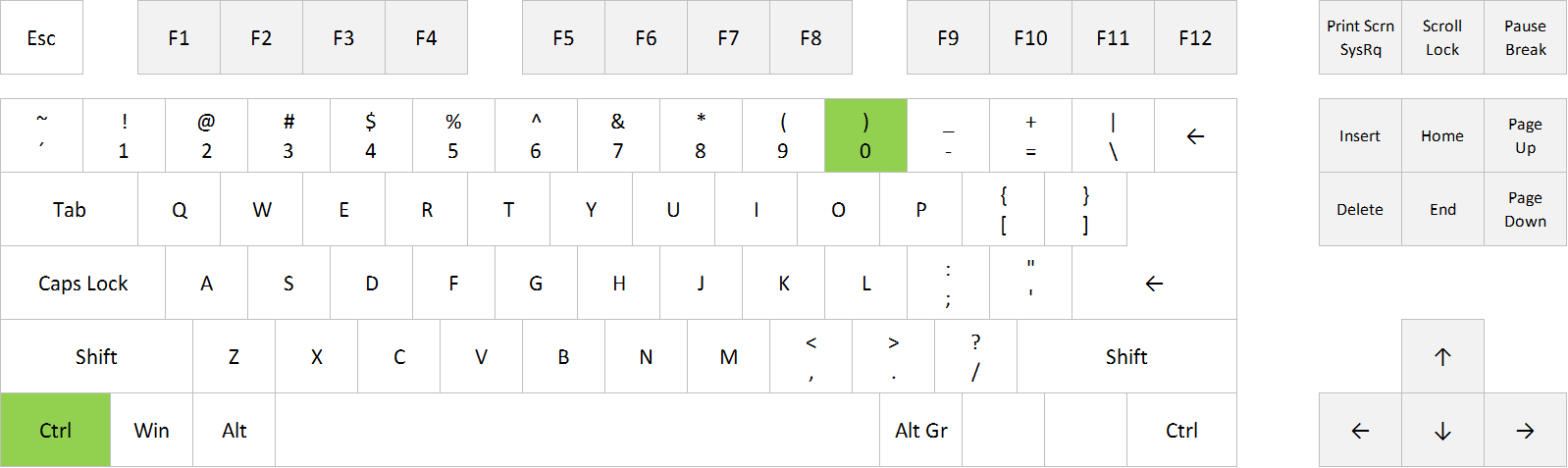
Ctrl+0

Hide Column in Excel: Ctrl+0

FULL POST

Posted on
Deprecated: Creation of dynamic property WP_Term::$cat_ID is deprecated in /www/webvol37/u7/1kcaq2fpenszeq2/excelshortcuts.info/public_html/wp-includes/category.php on line 378

Deprecated: Creation of dynamic property WP_Term::$category_count is deprecated in /www/webvol37/u7/1kcaq2fpenszeq2/excelshortcuts.info/public_html/wp-includes/category.php on line 379

Deprecated: Creation of dynamic property WP_Term::$category_description is deprecated in /www/webvol37/u7/1kcaq2fpenszeq2/excelshortcuts.info/public_html/wp-includes/category.php on line 380

Deprecated: Creation of dynamic property WP_Term::$cat_name is deprecated in /www/webvol37/u7/1kcaq2fpenszeq2/excelshortcuts.info/public_html/wp-includes/category.php on line 381

Deprecated: Creation of dynamic property WP_Term::$category_nicename is deprecated in /www/webvol37/u7/1kcaq2fpenszeq2/excelshortcuts.info/public_html/wp-includes/category.php on line 382

Deprecated: Creation of dynamic property WP_Term::$category_parent is deprecated in /www/webvol37/u7/1kcaq2fpenszeq2/excelshortcuts.info/public_html/wp-includes/category.php on line 383
Categories Uncategorized

Excel shortcut: Insert current time

If you want to insert the current time in a cell in Excel, you can use this shortcut:

Ctrl+Shift+. (dot)

Note that this is static. If you want the value to update, you should use the NOW function, which returns date and time, or =NOW()-TODAY() to return the time (apply time format).
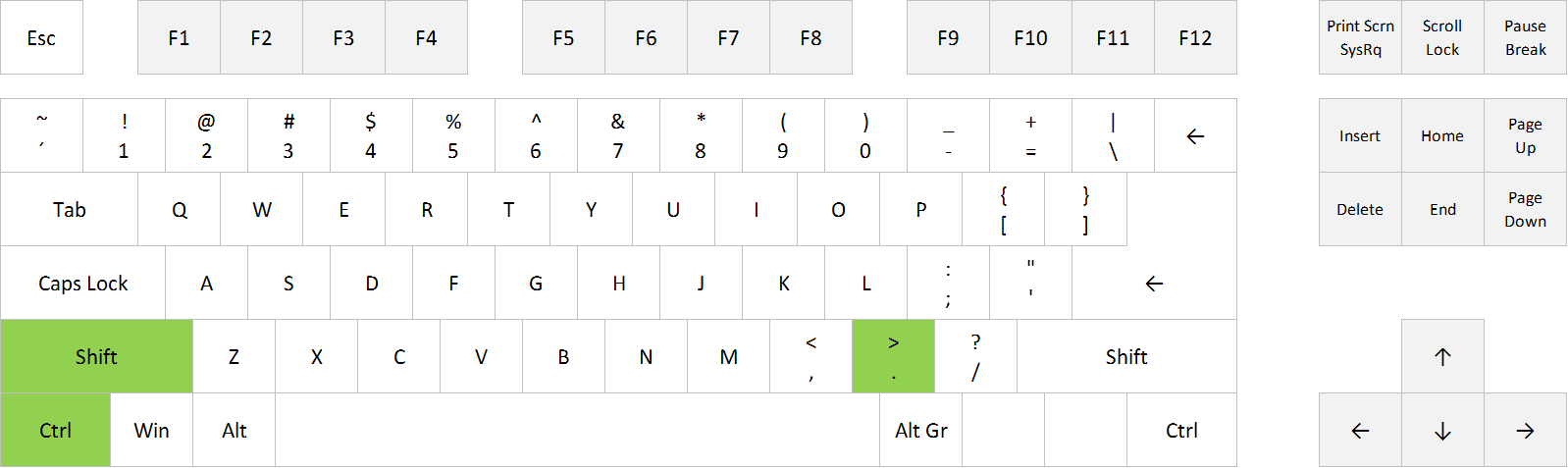
Insert current time in Excel: Ctrl+Shift+.


FULL POST

Posted on
Deprecated: Creation of dynamic property WP_Term::$cat_ID is deprecated in /www/webvol37/u7/1kcaq2fpenszeq2/excelshortcuts.info/public_html/wp-includes/category.php on line 378

Deprecated: Creation of dynamic property WP_Term::$category_count is deprecated in /www/webvol37/u7/1kcaq2fpenszeq2/excelshortcuts.info/public_html/wp-includes/category.php on line 379

Deprecated: Creation of dynamic property WP_Term::$category_description is deprecated in /www/webvol37/u7/1kcaq2fpenszeq2/excelshortcuts.info/public_html/wp-includes/category.php on line 380

Deprecated: Creation of dynamic property WP_Term::$cat_name is deprecated in /www/webvol37/u7/1kcaq2fpenszeq2/excelshortcuts.info/public_html/wp-includes/category.php on line 381

Deprecated: Creation of dynamic property WP_Term::$category_nicename is deprecated in /www/webvol37/u7/1kcaq2fpenszeq2/excelshortcuts.info/public_html/wp-includes/category.php on line 382

Deprecated: Creation of dynamic property WP_Term::$category_parent is deprecated in /www/webvol37/u7/1kcaq2fpenszeq2/excelshortcuts.info/public_html/wp-includes/category.php on line 383
Categories Uncategorized

Excel shortcut: Insert today’s date

If you want to insert today’s date in a cell in Excel, you can use this shortcut:

Ctrl+Shift+, (comma)

Note that this is static, ie. it will remain the same tomorrow. If you want the value to update every day, you should use the TODAY function.
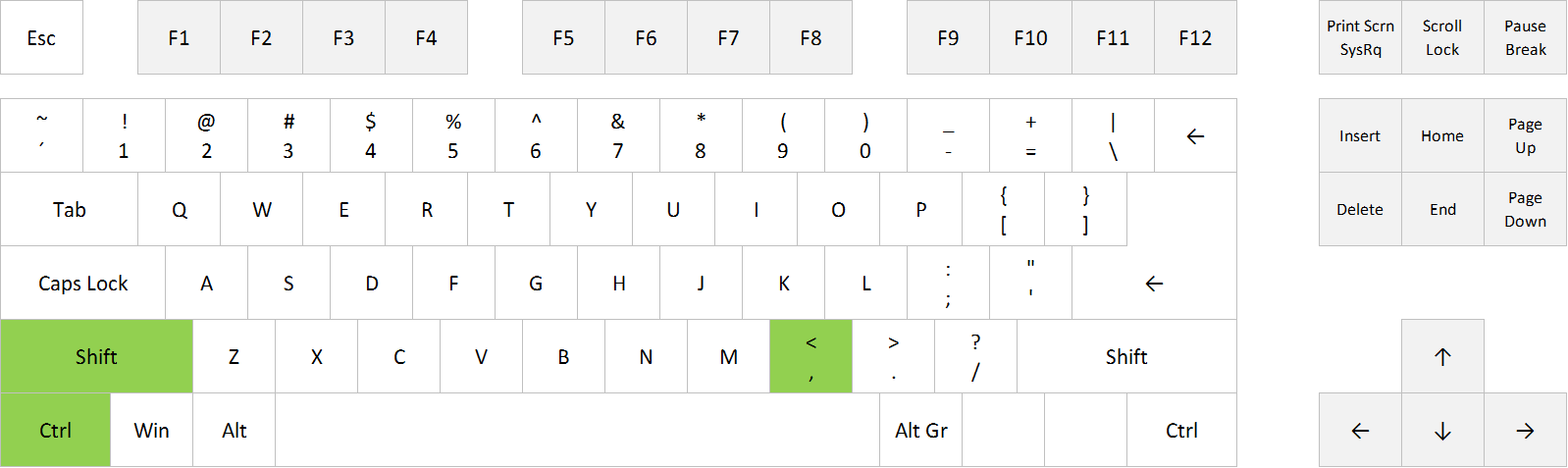
Insert today's date in Excel: Ctrl+Shift+,
Insert today’s date in Excel: Ctrl+Shift+,


FULL POST

Posted on
Deprecated: Creation of dynamic property WP_Term::$cat_ID is deprecated in /www/webvol37/u7/1kcaq2fpenszeq2/excelshortcuts.info/public_html/wp-includes/category.php on line 378

Deprecated: Creation of dynamic property WP_Term::$category_count is deprecated in /www/webvol37/u7/1kcaq2fpenszeq2/excelshortcuts.info/public_html/wp-includes/category.php on line 379

Deprecated: Creation of dynamic property WP_Term::$category_description is deprecated in /www/webvol37/u7/1kcaq2fpenszeq2/excelshortcuts.info/public_html/wp-includes/category.php on line 380

Deprecated: Creation of dynamic property WP_Term::$cat_name is deprecated in /www/webvol37/u7/1kcaq2fpenszeq2/excelshortcuts.info/public_html/wp-includes/category.php on line 381

Deprecated: Creation of dynamic property WP_Term::$category_nicename is deprecated in /www/webvol37/u7/1kcaq2fpenszeq2/excelshortcuts.info/public_html/wp-includes/category.php on line 382

Deprecated: Creation of dynamic property WP_Term::$category_parent is deprecated in /www/webvol37/u7/1kcaq2fpenszeq2/excelshortcuts.info/public_html/wp-includes/category.php on line 383
Categories Uncategorized

Excel shortcut: Format Cells

If you want to format the selected cell or range in Excel, you can click on the small arrow symbol in the number section on the Home tab, or you can use this shortcut:
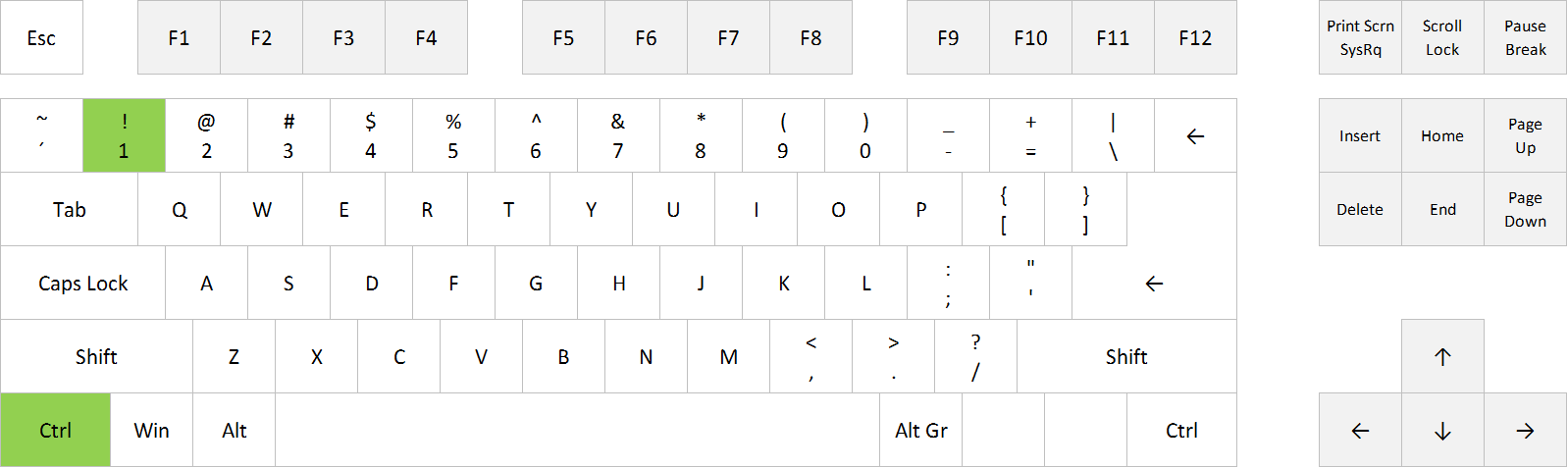
Ctrl+1

Format Cells in Excel: Ctrl + 1

FULL POST

Posted on
Deprecated: Creation of dynamic property WP_Term::$cat_ID is deprecated in /www/webvol37/u7/1kcaq2fpenszeq2/excelshortcuts.info/public_html/wp-includes/category.php on line 378

Deprecated: Creation of dynamic property WP_Term::$category_count is deprecated in /www/webvol37/u7/1kcaq2fpenszeq2/excelshortcuts.info/public_html/wp-includes/category.php on line 379

Deprecated: Creation of dynamic property WP_Term::$category_description is deprecated in /www/webvol37/u7/1kcaq2fpenszeq2/excelshortcuts.info/public_html/wp-includes/category.php on line 380

Deprecated: Creation of dynamic property WP_Term::$cat_name is deprecated in /www/webvol37/u7/1kcaq2fpenszeq2/excelshortcuts.info/public_html/wp-includes/category.php on line 381

Deprecated: Creation of dynamic property WP_Term::$category_nicename is deprecated in /www/webvol37/u7/1kcaq2fpenszeq2/excelshortcuts.info/public_html/wp-includes/category.php on line 382

Deprecated: Creation of dynamic property WP_Term::$category_parent is deprecated in /www/webvol37/u7/1kcaq2fpenszeq2/excelshortcuts.info/public_html/wp-includes/category.php on line 383
Categories Formatting

Excel shortcut: Copy Cell Above

If you want to copy the cell above the active cell, you can select that cell, copy it, select the cell below again, and paste. Or you can simply use this shortcut:
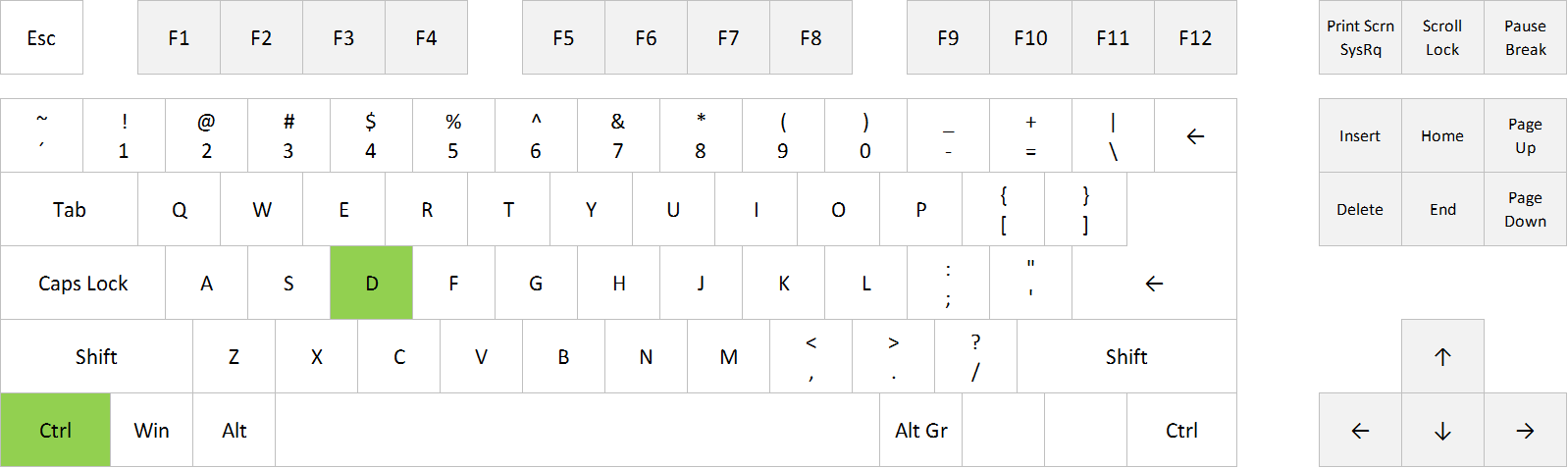
Ctrl+D

Copy cell above in Excel: Ctrl+D

FULL POST

Posted on
Deprecated: Creation of dynamic property WP_Term::$cat_ID is deprecated in /www/webvol37/u7/1kcaq2fpenszeq2/excelshortcuts.info/public_html/wp-includes/category.php on line 378

Deprecated: Creation of dynamic property WP_Term::$category_count is deprecated in /www/webvol37/u7/1kcaq2fpenszeq2/excelshortcuts.info/public_html/wp-includes/category.php on line 379

Deprecated: Creation of dynamic property WP_Term::$category_description is deprecated in /www/webvol37/u7/1kcaq2fpenszeq2/excelshortcuts.info/public_html/wp-includes/category.php on line 380

Deprecated: Creation of dynamic property WP_Term::$cat_name is deprecated in /www/webvol37/u7/1kcaq2fpenszeq2/excelshortcuts.info/public_html/wp-includes/category.php on line 381

Deprecated: Creation of dynamic property WP_Term::$category_nicename is deprecated in /www/webvol37/u7/1kcaq2fpenszeq2/excelshortcuts.info/public_html/wp-includes/category.php on line 382

Deprecated: Creation of dynamic property WP_Term::$category_parent is deprecated in /www/webvol37/u7/1kcaq2fpenszeq2/excelshortcuts.info/public_html/wp-includes/category.php on line 383
Categories Uncategorized

Excel shortcut: Open Go To Dialog Box

If you want to open the Go To Dialog Box, you can go to Home > Find & Select > Go To, or you can use one of these shortcuts:
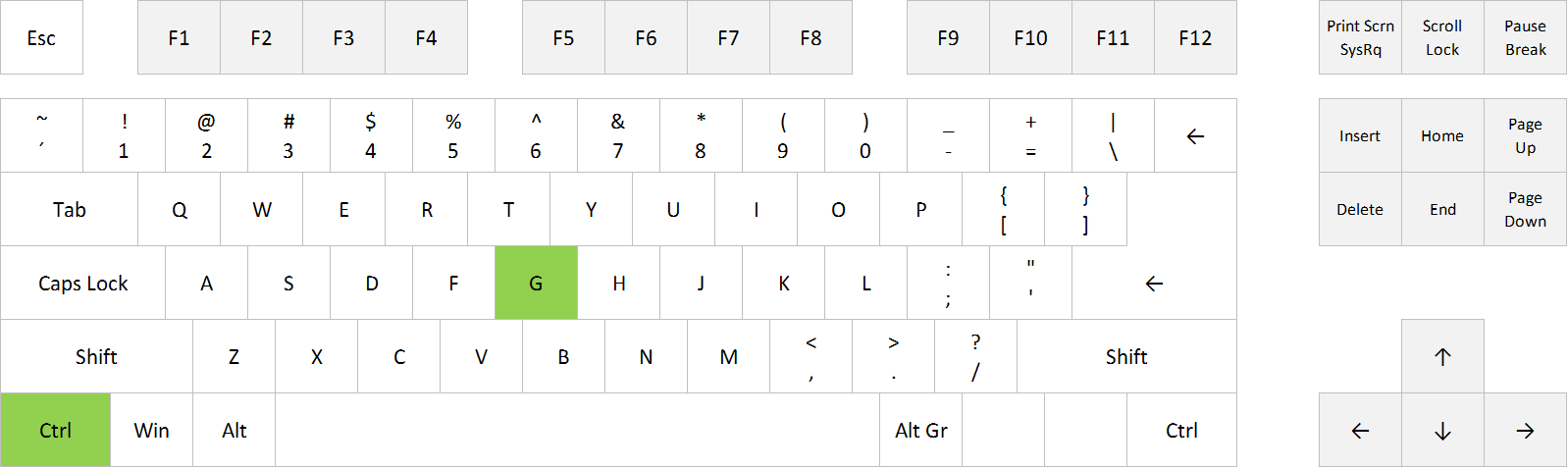
Ctrl+G
F5

Open Go To Dialog Box in Excel: Ctrl+G


Open Go To Dialog Box in Excel: F5


FULL POST

Posted on
Deprecated: Creation of dynamic property WP_Term::$cat_ID is deprecated in /www/webvol37/u7/1kcaq2fpenszeq2/excelshortcuts.info/public_html/wp-includes/category.php on line 378

Deprecated: Creation of dynamic property WP_Term::$category_count is deprecated in /www/webvol37/u7/1kcaq2fpenszeq2/excelshortcuts.info/public_html/wp-includes/category.php on line 379

Deprecated: Creation of dynamic property WP_Term::$category_description is deprecated in /www/webvol37/u7/1kcaq2fpenszeq2/excelshortcuts.info/public_html/wp-includes/category.php on line 380

Deprecated: Creation of dynamic property WP_Term::$cat_name is deprecated in /www/webvol37/u7/1kcaq2fpenszeq2/excelshortcuts.info/public_html/wp-includes/category.php on line 381

Deprecated: Creation of dynamic property WP_Term::$category_nicename is deprecated in /www/webvol37/u7/1kcaq2fpenszeq2/excelshortcuts.info/public_html/wp-includes/category.php on line 382

Deprecated: Creation of dynamic property WP_Term::$category_parent is deprecated in /www/webvol37/u7/1kcaq2fpenszeq2/excelshortcuts.info/public_html/wp-includes/category.php on line 383
Categories Uncategorized