Excel shortcut: Display Macro dialog box

If you want to open the Macro dialog box in Excel in order to run, create, delete or edit a macro, you can go to Developer > Macros, or you can use this shortcut:

Alt+F8
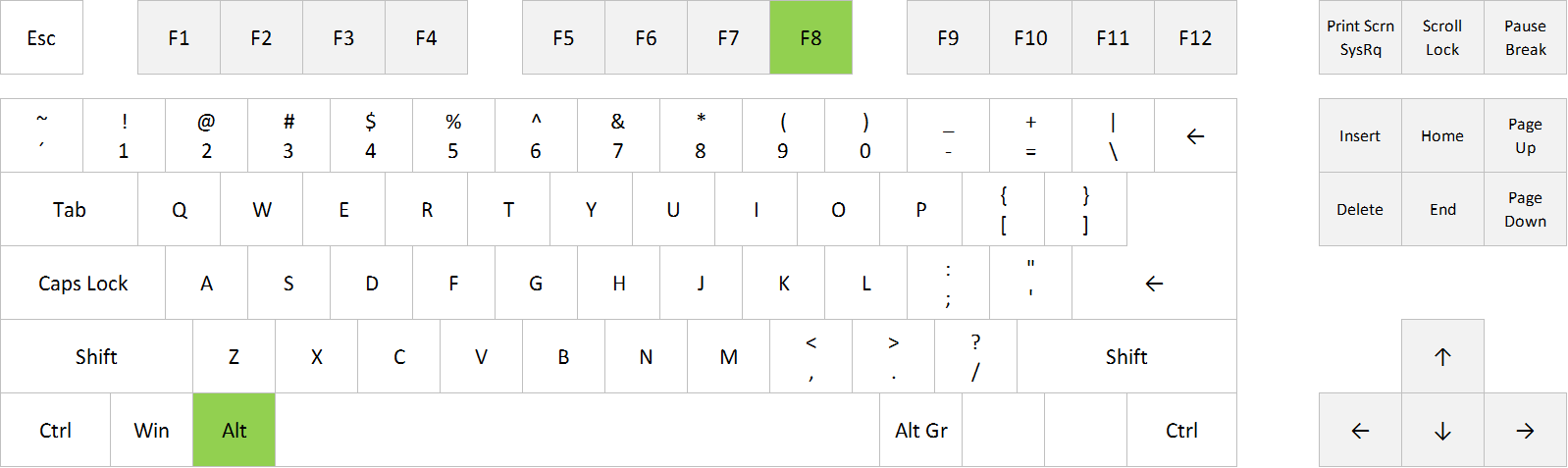
Display Macro dialog box in Excel: Alt+F8
Run Macro; open Macro dialog box in Excel: Alt+F8


FULL POST

Posted on
Deprecated: Creation of dynamic property WP_Term::$cat_ID is deprecated in /www/webvol37/u7/1kcaq2fpenszeq2/excelshortcuts.info/public_html/wp-includes/category.php on line 378

Deprecated: Creation of dynamic property WP_Term::$category_count is deprecated in /www/webvol37/u7/1kcaq2fpenszeq2/excelshortcuts.info/public_html/wp-includes/category.php on line 379

Deprecated: Creation of dynamic property WP_Term::$category_description is deprecated in /www/webvol37/u7/1kcaq2fpenszeq2/excelshortcuts.info/public_html/wp-includes/category.php on line 380

Deprecated: Creation of dynamic property WP_Term::$cat_name is deprecated in /www/webvol37/u7/1kcaq2fpenszeq2/excelshortcuts.info/public_html/wp-includes/category.php on line 381

Deprecated: Creation of dynamic property WP_Term::$category_nicename is deprecated in /www/webvol37/u7/1kcaq2fpenszeq2/excelshortcuts.info/public_html/wp-includes/category.php on line 382

Deprecated: Creation of dynamic property WP_Term::$category_parent is deprecated in /www/webvol37/u7/1kcaq2fpenszeq2/excelshortcuts.info/public_html/wp-includes/category.php on line 383
Categories Macros

Excel shortcut: Redo

If you want to undo your last undo commant, ie. redo what you’ve undone, you can click on the Redo icon in the top left corner, or you can use this shortcut:
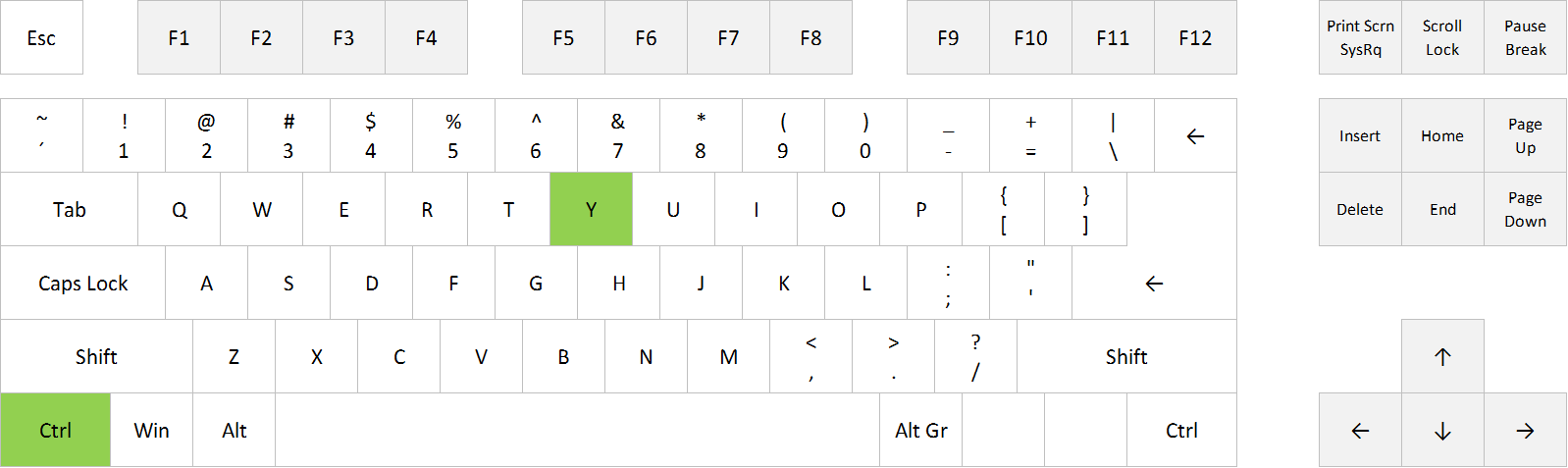
Ctrl+Y

Redo in Excel: Ctrl+Y


FULL POST

Posted on
Deprecated: Creation of dynamic property WP_Term::$cat_ID is deprecated in /www/webvol37/u7/1kcaq2fpenszeq2/excelshortcuts.info/public_html/wp-includes/category.php on line 378

Deprecated: Creation of dynamic property WP_Term::$category_count is deprecated in /www/webvol37/u7/1kcaq2fpenszeq2/excelshortcuts.info/public_html/wp-includes/category.php on line 379

Deprecated: Creation of dynamic property WP_Term::$category_description is deprecated in /www/webvol37/u7/1kcaq2fpenszeq2/excelshortcuts.info/public_html/wp-includes/category.php on line 380

Deprecated: Creation of dynamic property WP_Term::$cat_name is deprecated in /www/webvol37/u7/1kcaq2fpenszeq2/excelshortcuts.info/public_html/wp-includes/category.php on line 381

Deprecated: Creation of dynamic property WP_Term::$category_nicename is deprecated in /www/webvol37/u7/1kcaq2fpenszeq2/excelshortcuts.info/public_html/wp-includes/category.php on line 382

Deprecated: Creation of dynamic property WP_Term::$category_parent is deprecated in /www/webvol37/u7/1kcaq2fpenszeq2/excelshortcuts.info/public_html/wp-includes/category.php on line 383
Categories Uncategorized

Excel shortcut: Undo

If you want to undo your last action or command in Excel, you can click on the Undo icon in the top left corner, or you can use this shortcut:
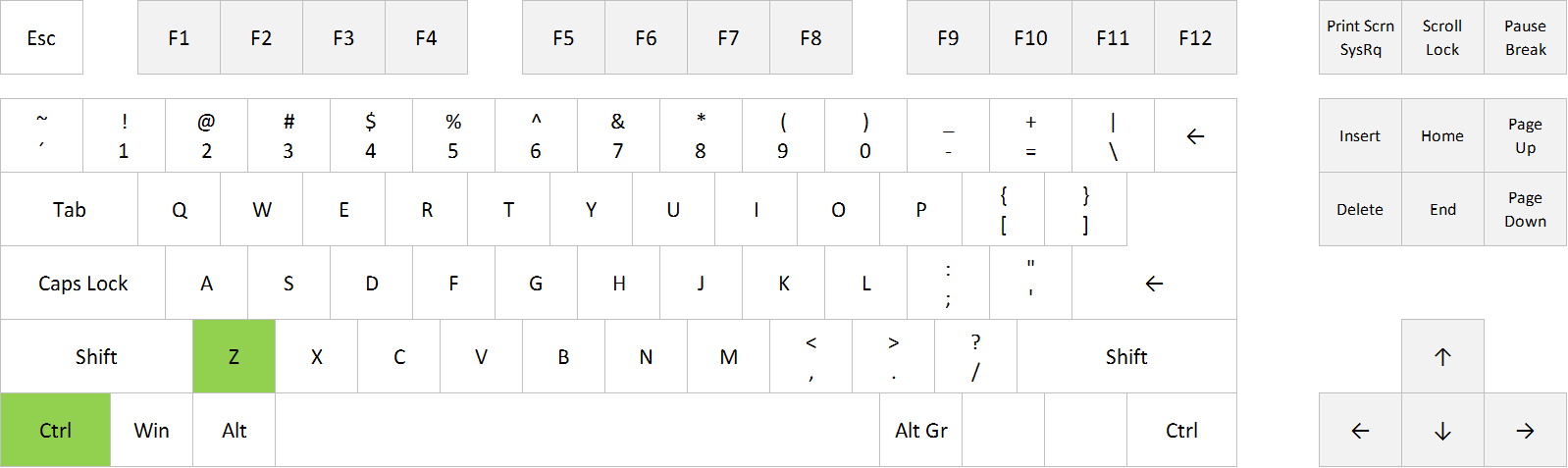
Ctrl+Z

Undo in Excel: Ctrl+Z


FULL POST

Posted on
Deprecated: Creation of dynamic property WP_Term::$cat_ID is deprecated in /www/webvol37/u7/1kcaq2fpenszeq2/excelshortcuts.info/public_html/wp-includes/category.php on line 378

Deprecated: Creation of dynamic property WP_Term::$category_count is deprecated in /www/webvol37/u7/1kcaq2fpenszeq2/excelshortcuts.info/public_html/wp-includes/category.php on line 379

Deprecated: Creation of dynamic property WP_Term::$category_description is deprecated in /www/webvol37/u7/1kcaq2fpenszeq2/excelshortcuts.info/public_html/wp-includes/category.php on line 380

Deprecated: Creation of dynamic property WP_Term::$cat_name is deprecated in /www/webvol37/u7/1kcaq2fpenszeq2/excelshortcuts.info/public_html/wp-includes/category.php on line 381

Deprecated: Creation of dynamic property WP_Term::$category_nicename is deprecated in /www/webvol37/u7/1kcaq2fpenszeq2/excelshortcuts.info/public_html/wp-includes/category.php on line 382

Deprecated: Creation of dynamic property WP_Term::$category_parent is deprecated in /www/webvol37/u7/1kcaq2fpenszeq2/excelshortcuts.info/public_html/wp-includes/category.php on line 383
Categories Uncategorized

Excel shortcut: Apply and remove Strikethrough

If you want to apply (or remove) Strikethrough formatting in Excel, you can go to the Home tab, slick on the small arrow in the bottom right corner of the Font group, and choose Strikethrough. Or you can use this shortcut:
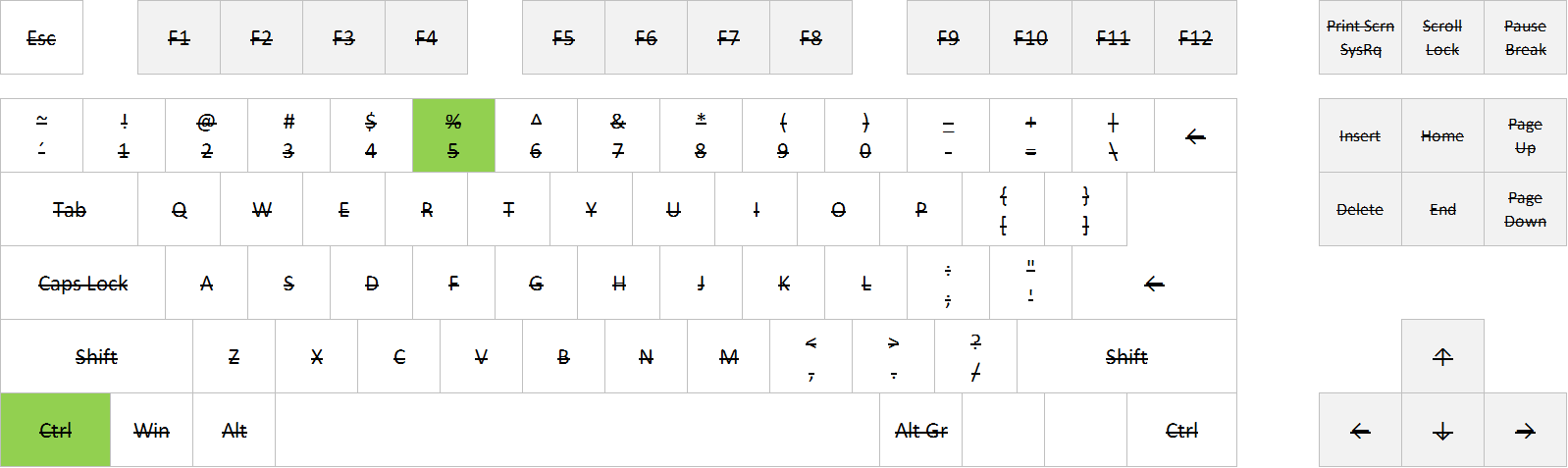
Ctrl+5

Apply and remove Strikethrough formatting in Excel: Ctrl+5

FULL POST

Posted on
Deprecated: Creation of dynamic property WP_Term::$cat_ID is deprecated in /www/webvol37/u7/1kcaq2fpenszeq2/excelshortcuts.info/public_html/wp-includes/category.php on line 378

Deprecated: Creation of dynamic property WP_Term::$category_count is deprecated in /www/webvol37/u7/1kcaq2fpenszeq2/excelshortcuts.info/public_html/wp-includes/category.php on line 379

Deprecated: Creation of dynamic property WP_Term::$category_description is deprecated in /www/webvol37/u7/1kcaq2fpenszeq2/excelshortcuts.info/public_html/wp-includes/category.php on line 380

Deprecated: Creation of dynamic property WP_Term::$cat_name is deprecated in /www/webvol37/u7/1kcaq2fpenszeq2/excelshortcuts.info/public_html/wp-includes/category.php on line 381

Deprecated: Creation of dynamic property WP_Term::$category_nicename is deprecated in /www/webvol37/u7/1kcaq2fpenszeq2/excelshortcuts.info/public_html/wp-includes/category.php on line 382

Deprecated: Creation of dynamic property WP_Term::$category_parent is deprecated in /www/webvol37/u7/1kcaq2fpenszeq2/excelshortcuts.info/public_html/wp-includes/category.php on line 383
Categories Formatting

Excel shortcut: Apply and remove Underline

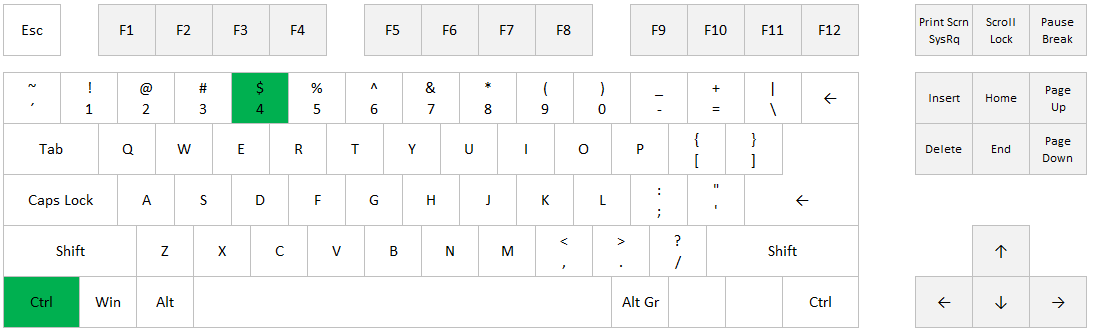
If you want to apply (or remove) Underline formatting in Excel, you can go to the Home tab and click on the U symbol, or you can use one of these shortcuts:
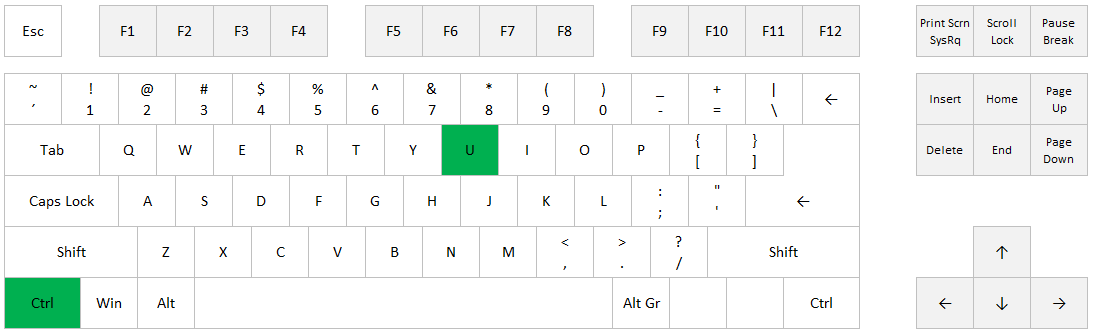
Ctrl+U
Ctrl+4

Apply and remove Underline formatting in Excel: Ctrl+U

Apply and remove Underline formatting in Excel: Ctrl+4

Posted on
Deprecated: Creation of dynamic property WP_Term::$cat_ID is deprecated in /www/webvol37/u7/1kcaq2fpenszeq2/excelshortcuts.info/public_html/wp-includes/category.php on line 378

Deprecated: Creation of dynamic property WP_Term::$category_count is deprecated in /www/webvol37/u7/1kcaq2fpenszeq2/excelshortcuts.info/public_html/wp-includes/category.php on line 379

Deprecated: Creation of dynamic property WP_Term::$category_description is deprecated in /www/webvol37/u7/1kcaq2fpenszeq2/excelshortcuts.info/public_html/wp-includes/category.php on line 380

Deprecated: Creation of dynamic property WP_Term::$cat_name is deprecated in /www/webvol37/u7/1kcaq2fpenszeq2/excelshortcuts.info/public_html/wp-includes/category.php on line 381

Deprecated: Creation of dynamic property WP_Term::$category_nicename is deprecated in /www/webvol37/u7/1kcaq2fpenszeq2/excelshortcuts.info/public_html/wp-includes/category.php on line 382

Deprecated: Creation of dynamic property WP_Term::$category_parent is deprecated in /www/webvol37/u7/1kcaq2fpenszeq2/excelshortcuts.info/public_html/wp-includes/category.php on line 383
Categories Formatting

Excel shortcut: Apply and remove Bold

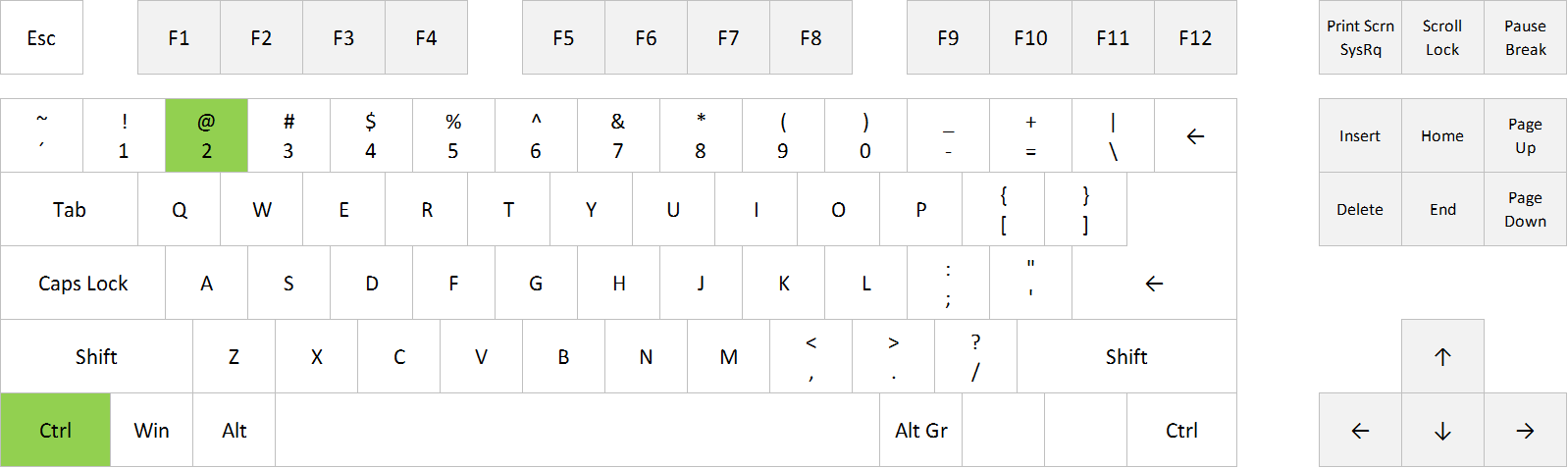
If you want to apply (or remove) Bold formatting in Excel, you can go to the Home tab and click on the B symbol, or you can use one of these shortcuts:
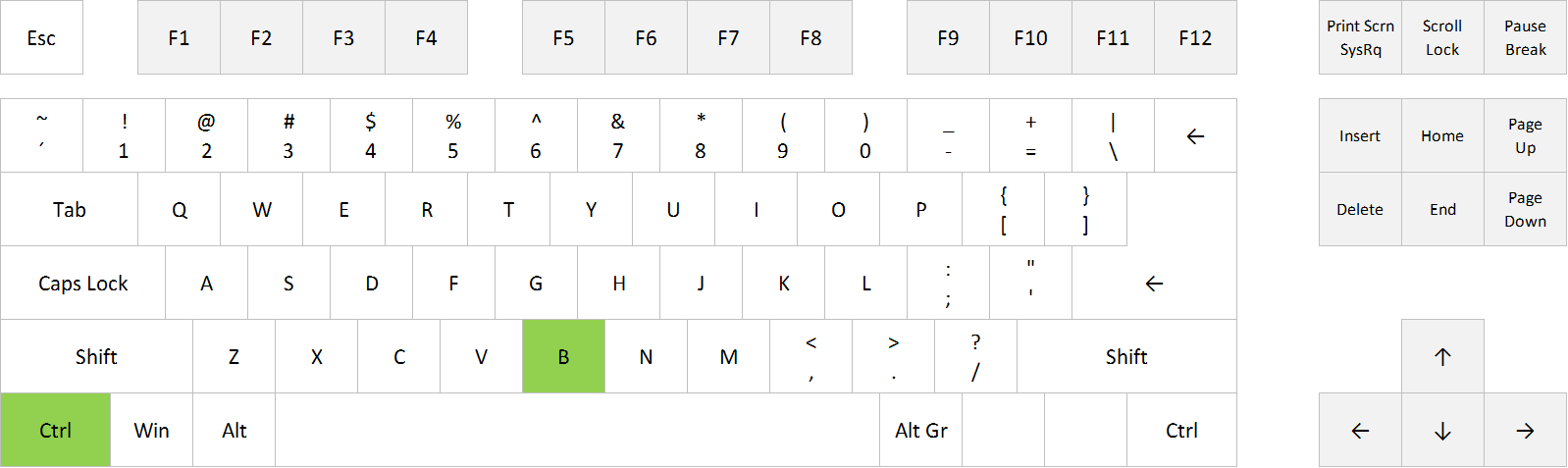
Ctrl+B
Ctrl+2

Apply and remove Bold formatting in Excel: Ctrl+B

Apply and remove Bold formatting in Excel: Ctrl+2


FULL POST

Posted on
Deprecated: Creation of dynamic property WP_Term::$cat_ID is deprecated in /www/webvol37/u7/1kcaq2fpenszeq2/excelshortcuts.info/public_html/wp-includes/category.php on line 378

Deprecated: Creation of dynamic property WP_Term::$category_count is deprecated in /www/webvol37/u7/1kcaq2fpenszeq2/excelshortcuts.info/public_html/wp-includes/category.php on line 379

Deprecated: Creation of dynamic property WP_Term::$category_description is deprecated in /www/webvol37/u7/1kcaq2fpenszeq2/excelshortcuts.info/public_html/wp-includes/category.php on line 380

Deprecated: Creation of dynamic property WP_Term::$cat_name is deprecated in /www/webvol37/u7/1kcaq2fpenszeq2/excelshortcuts.info/public_html/wp-includes/category.php on line 381

Deprecated: Creation of dynamic property WP_Term::$category_nicename is deprecated in /www/webvol37/u7/1kcaq2fpenszeq2/excelshortcuts.info/public_html/wp-includes/category.php on line 382

Deprecated: Creation of dynamic property WP_Term::$category_parent is deprecated in /www/webvol37/u7/1kcaq2fpenszeq2/excelshortcuts.info/public_html/wp-includes/category.php on line 383
Categories Formatting

Excel shortcut: Apply and remove Italic

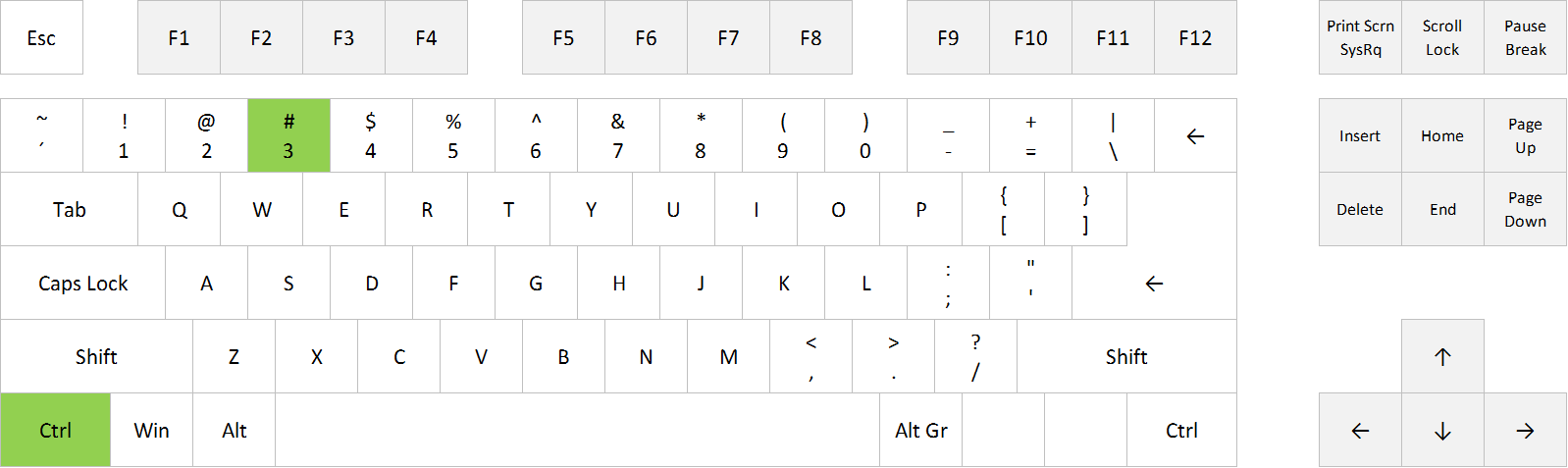
If you want to apply (or remove) Italic formatting in Excel, you can go to the Home tab and click on the I symbol, or you can use one of these shortcuts:
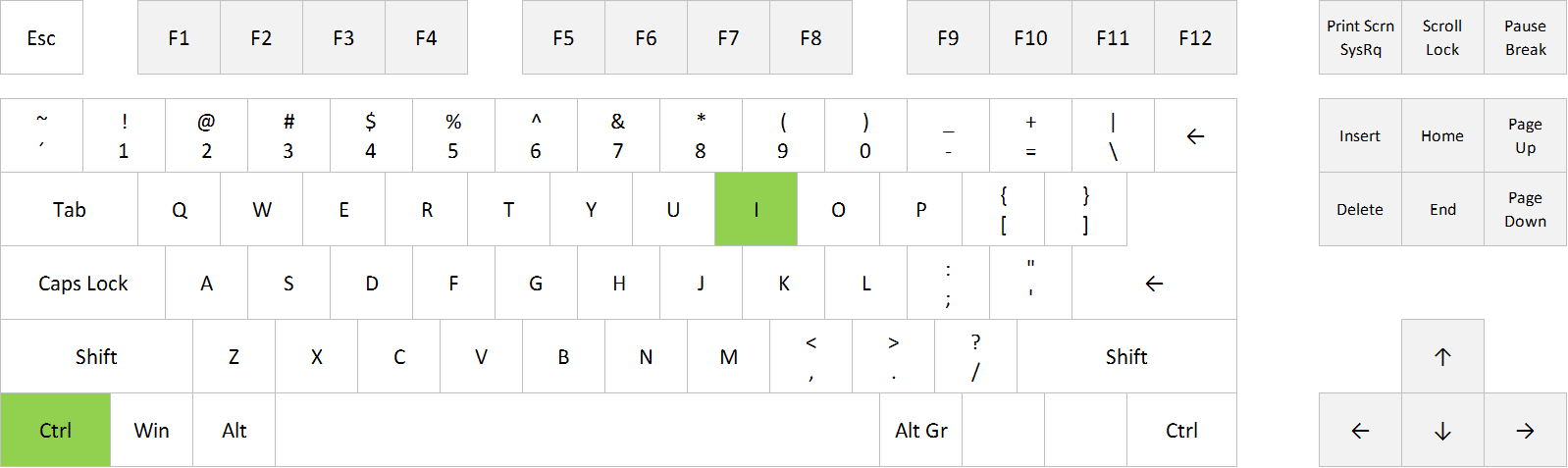
Ctrl+i
Ctrl+3

Apply and remove Italic formatting in Excel: Ctrl+i

Apply and remove Italic formatting in Excel: Ctrl+3

FULL POST

Posted on
Deprecated: Creation of dynamic property WP_Term::$cat_ID is deprecated in /www/webvol37/u7/1kcaq2fpenszeq2/excelshortcuts.info/public_html/wp-includes/category.php on line 378

Deprecated: Creation of dynamic property WP_Term::$category_count is deprecated in /www/webvol37/u7/1kcaq2fpenszeq2/excelshortcuts.info/public_html/wp-includes/category.php on line 379

Deprecated: Creation of dynamic property WP_Term::$category_description is deprecated in /www/webvol37/u7/1kcaq2fpenszeq2/excelshortcuts.info/public_html/wp-includes/category.php on line 380

Deprecated: Creation of dynamic property WP_Term::$cat_name is deprecated in /www/webvol37/u7/1kcaq2fpenszeq2/excelshortcuts.info/public_html/wp-includes/category.php on line 381

Deprecated: Creation of dynamic property WP_Term::$category_nicename is deprecated in /www/webvol37/u7/1kcaq2fpenszeq2/excelshortcuts.info/public_html/wp-includes/category.php on line 382

Deprecated: Creation of dynamic property WP_Term::$category_parent is deprecated in /www/webvol37/u7/1kcaq2fpenszeq2/excelshortcuts.info/public_html/wp-includes/category.php on line 383
Categories Formatting

Excel shortcut: Repeat last Find action

If you want to repeat your last Find command in Excel, ie. go to the cell that contains the value that you searched for the last time you used Find and Replace, you can use this shortcut:
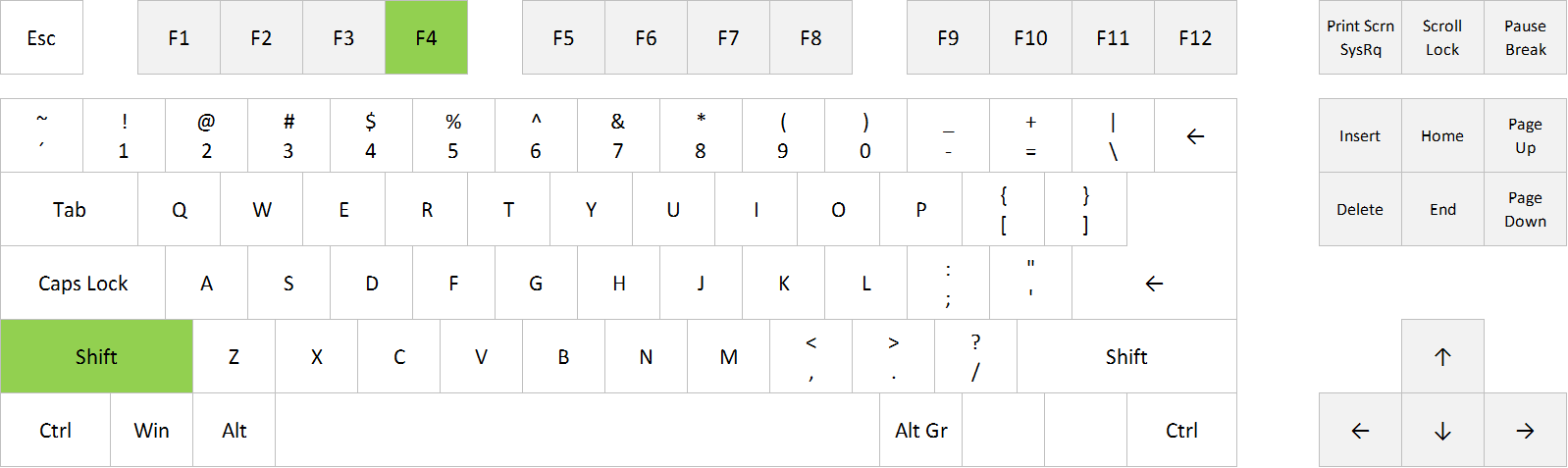
Shift+F4

Repeat last Find action in Excel: Shift+F4


FULL POST

Posted on
Deprecated: Creation of dynamic property WP_Term::$cat_ID is deprecated in /www/webvol37/u7/1kcaq2fpenszeq2/excelshortcuts.info/public_html/wp-includes/category.php on line 378

Deprecated: Creation of dynamic property WP_Term::$category_count is deprecated in /www/webvol37/u7/1kcaq2fpenszeq2/excelshortcuts.info/public_html/wp-includes/category.php on line 379

Deprecated: Creation of dynamic property WP_Term::$category_description is deprecated in /www/webvol37/u7/1kcaq2fpenszeq2/excelshortcuts.info/public_html/wp-includes/category.php on line 380

Deprecated: Creation of dynamic property WP_Term::$cat_name is deprecated in /www/webvol37/u7/1kcaq2fpenszeq2/excelshortcuts.info/public_html/wp-includes/category.php on line 381

Deprecated: Creation of dynamic property WP_Term::$category_nicename is deprecated in /www/webvol37/u7/1kcaq2fpenszeq2/excelshortcuts.info/public_html/wp-includes/category.php on line 382

Deprecated: Creation of dynamic property WP_Term::$category_parent is deprecated in /www/webvol37/u7/1kcaq2fpenszeq2/excelshortcuts.info/public_html/wp-includes/category.php on line 383
Categories Find and replace

Excel shortcut: Replace

If you want to open the Find and Replace dialog box in Excel, with the Replace tab already selected, you can go to Home > Find and Select > Replace, or you can use this shortcut:
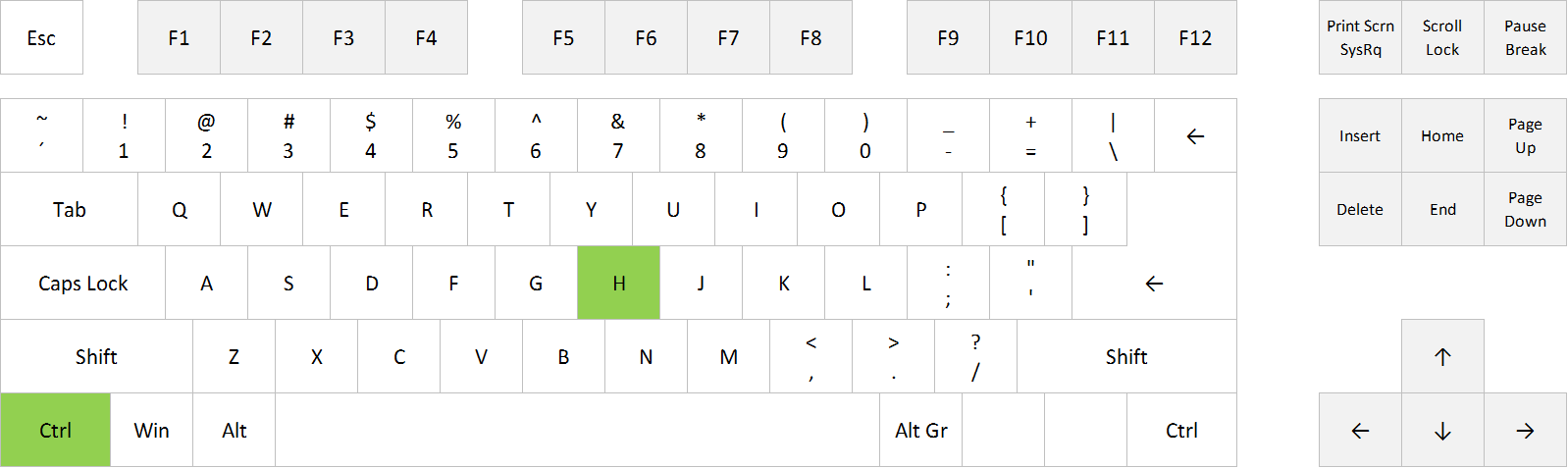
Ctrl+H

Find and Replace in Excel: Ctrl+H

FULL POST

Posted on
Deprecated: Creation of dynamic property WP_Term::$cat_ID is deprecated in /www/webvol37/u7/1kcaq2fpenszeq2/excelshortcuts.info/public_html/wp-includes/category.php on line 378

Deprecated: Creation of dynamic property WP_Term::$category_count is deprecated in /www/webvol37/u7/1kcaq2fpenszeq2/excelshortcuts.info/public_html/wp-includes/category.php on line 379

Deprecated: Creation of dynamic property WP_Term::$category_description is deprecated in /www/webvol37/u7/1kcaq2fpenszeq2/excelshortcuts.info/public_html/wp-includes/category.php on line 380

Deprecated: Creation of dynamic property WP_Term::$cat_name is deprecated in /www/webvol37/u7/1kcaq2fpenszeq2/excelshortcuts.info/public_html/wp-includes/category.php on line 381

Deprecated: Creation of dynamic property WP_Term::$category_nicename is deprecated in /www/webvol37/u7/1kcaq2fpenszeq2/excelshortcuts.info/public_html/wp-includes/category.php on line 382

Deprecated: Creation of dynamic property WP_Term::$category_parent is deprecated in /www/webvol37/u7/1kcaq2fpenszeq2/excelshortcuts.info/public_html/wp-includes/category.php on line 383
Categories Find and replace

Excel shortcut: Find and Replace

If you want to open the Find and Replace dialog box in Excel, you can go to Home > Find and Select > Find, or you can use one of these shortcuts:
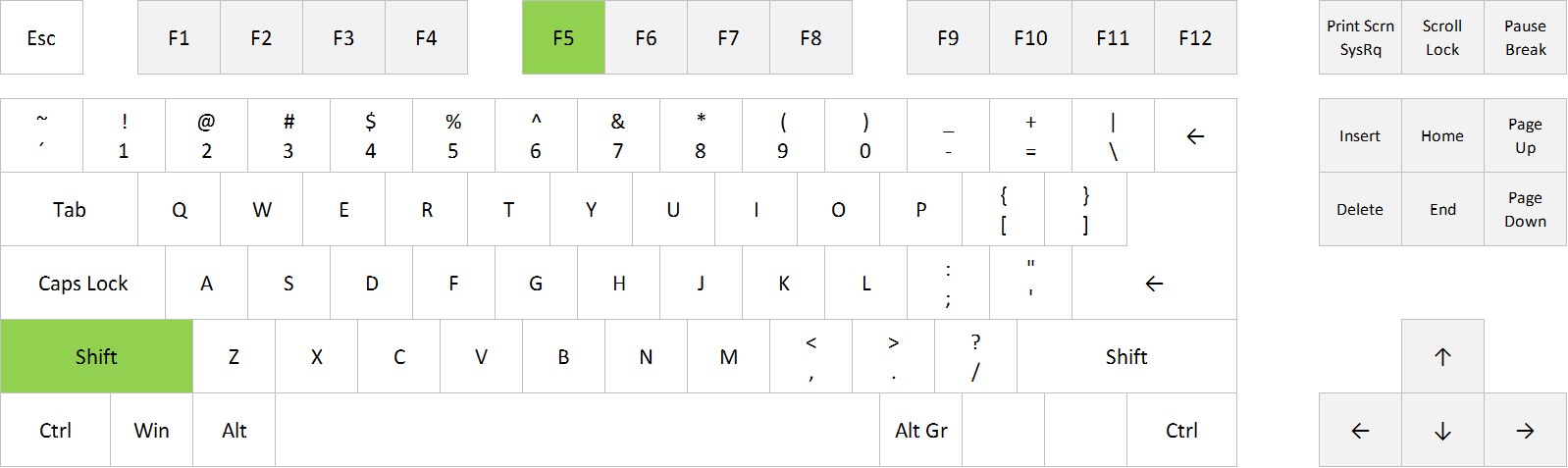
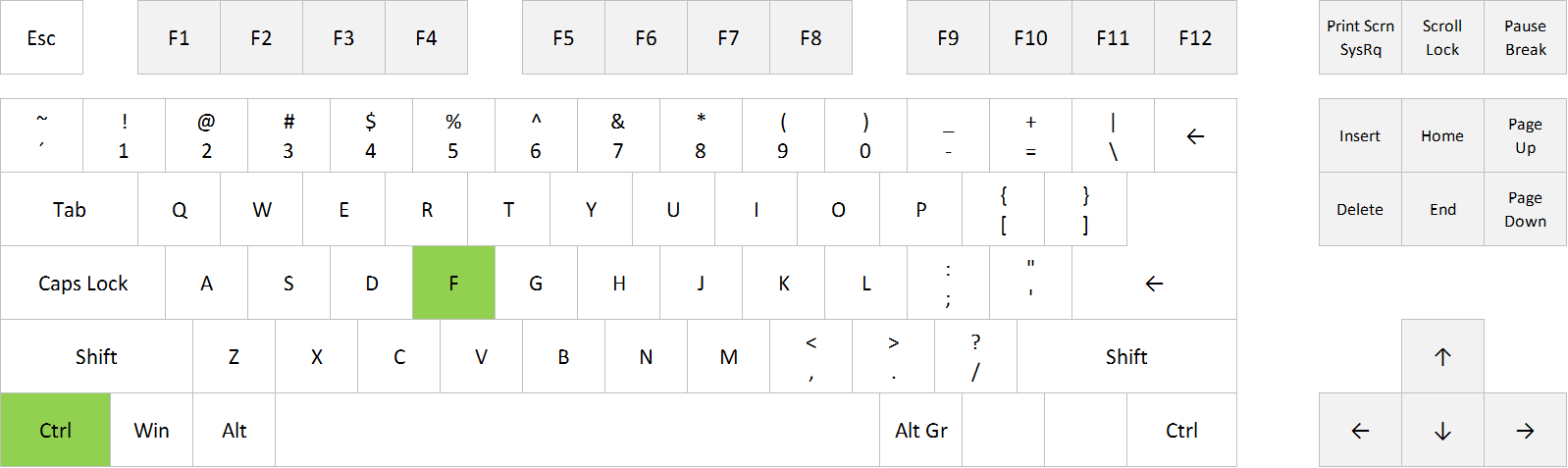
Ctrl+F
Shift+F5

Find in Excel: Shift+F5

Find in Excel: Ctrl+F

FULL POST

Posted on
Deprecated: Creation of dynamic property WP_Term::$cat_ID is deprecated in /www/webvol37/u7/1kcaq2fpenszeq2/excelshortcuts.info/public_html/wp-includes/category.php on line 378

Deprecated: Creation of dynamic property WP_Term::$category_count is deprecated in /www/webvol37/u7/1kcaq2fpenszeq2/excelshortcuts.info/public_html/wp-includes/category.php on line 379

Deprecated: Creation of dynamic property WP_Term::$category_description is deprecated in /www/webvol37/u7/1kcaq2fpenszeq2/excelshortcuts.info/public_html/wp-includes/category.php on line 380

Deprecated: Creation of dynamic property WP_Term::$cat_name is deprecated in /www/webvol37/u7/1kcaq2fpenszeq2/excelshortcuts.info/public_html/wp-includes/category.php on line 381

Deprecated: Creation of dynamic property WP_Term::$category_nicename is deprecated in /www/webvol37/u7/1kcaq2fpenszeq2/excelshortcuts.info/public_html/wp-includes/category.php on line 382

Deprecated: Creation of dynamic property WP_Term::$category_parent is deprecated in /www/webvol37/u7/1kcaq2fpenszeq2/excelshortcuts.info/public_html/wp-includes/category.php on line 383
Categories Find and replace